Search This Blog

Tuesday, 24 February 2015

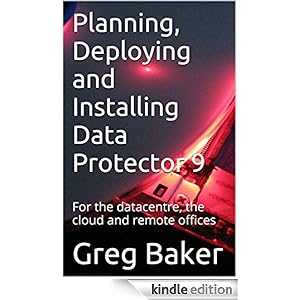
Planning, Deploying and Installing Data Protector 9: For the datacentre, the cloud and remote offices


This is the fourth book I've published on HP Data Protector, and I think it will be a very valuable resource to any sysadmin or consultant working with HP products.

If you are involved in pre-sales or implementation consulting you will find lots of useful material in this book.

  • Why customers choose Data Protector, and what its strengths and weaknesses are.
  • Step-by-step, everything you would need in order to backup remote branch offices.
  • Very detailed designs on how you can backup Amazon-hosted cloud servers.
  • How to backup data centres filled with nearly identical virtual machines.
  • Guidance on handling media pools, tape drives and other physical devices.
  • Doing disk-to-disk-to-tape backups.
  • Very detailed information on the internal database that simply isn't available elsewhere -- the results of my reverse engineering what HP has done. If you have complicated reporting needs, this is the book to have.
If you are a system administrator / backup administrator, you will find this book a welcome alternative to the HP documentation. I talk honestly about bugs that I've found, what makes sense to do, and what doesn't, and more importantly why certain designs make more sense than others.

This book can also be used as a course book if you want to run a one-day training session. All the labs can be run up in the cloud.

To keep the price down on the paperback version, it's a B&W print for all 374 pages. The Kindle version is full-colour if you have a full-colour device.

The paperback version has a comprehensive index to make this into an ideal reference to have at your desk. It is enrolled in matchbook, so you can have both the paper version and the kindle version for only slightly more than the paper version. Buy both!

Topics covered:

  • Reasons customers choose Data Protector 
  • Areas of comparative weakness 
  • Installing Windows and Linux cell managers 
  • Agent deployment methods 
  • StoreOnce de-duplication 
  • Backing up filesystems 
  • Backing up VMware 
  • Backing up cloud-hosted servers 
  • Configuring tape drives 
  • Managing media 
  • Backups spooled via disk 
  • Remote office backups replicated to a central office 
  • Reporting 

There is also a companion book on Data Protector for operators with a topics around restoring, supporting and maintaining.

Buy it on Amazon ( http://www.amazon.com/dp/B00T68FR64 ), or if you want to use an alternate store, they are listed here: http://www.ifost.org.au/books

Greg Baker is one of the world's leading experts on HP Data Protector. His consulting services are at http://www.ifost.org.au/dataprotector. He has written numerous books (see http://www.ifost.org.au/books) on it, and on other topics. His other interests are startup management, applications of automated image and text analysis and niche software development.
Thursday, 19 February 2015

Operating, running and supporting HP Data Protector 9

A new (Chinese) year, and I've written two new books on Data Protector.

The first is a book for operators.

  • If you are a sysadmin, and a new staff member who has just joined your organisation and needs to keep an eye on the backups. Buy this book for them, it has everything they need to get started.
  • If you are a consultant and you have just finished an implementation, you will need to provide some hand-over documentation. Buy this book for them, and you might only need to write a page or two of site-specific documentation. Everything else they will need is in this operators book.
There's an ebook version if you need something very cheap in a hurry; and there is also a beautifully presented full-colour on-paper version, which is more expensive, but makes a big impact. 


Topics include:
  • What a cell manager is; what an installation server is
  • How to install a Data Protector console
  • Using Manager.exe and what different connection error messages mean
  • Monitoring backup sessions
  • Reviewing backup history
  • Responding to day-to-day issues (mount requests, errors, tape busy)
  • Formatting tapes
  • Logging a support call with HP and collecting debug logs
  • Restoring filesystems
  • Restoring sessions
  • Restoring individual files
  • Restoring virtual machines
  • Restoring individual files from virtual machines using the VMware granular recovery extension

The paperback version also includes:
  • A page where you can record the name of the cell manager, where the cell console is, and any installation servers.
  • An extensive index
The e-book is available for pre-order today (with delivery next week), the dead tree version should be available by Monday. As with everything else I have written, you can find it a http://www.ifost.org.au/books. 

Greg Baker is one of the world's leading experts on HP Data Protector. His consulting services are at http://www.ifost.org.au/dataprotector. He has written numerous books (see http://www.ifost.org.au/books) on it, and on other topics. His other interests are startup management, applications of automated image and text analysis and niche software development.

Wednesday, 4 February 2015

Moment-in-time (snapshot) backup of Amazon AWS / EC2 instances

This post is the second in my series on backing up servers in the cloud. (The previous post was here: http://blog.ifost.org.au/2015/01/using-data-protector-to-back-up-your.html.) Obviously, there are some servers in the cloud that you simply won't need to backup, but the remainder which you do need to backup are much harder.

The big problem (which I will address in the next post in this series) is the cost of long-term storage. If you want to maintain backups for seven years, even Amazon Glacier will be absurdly expensive.

 The other problem is the challenge of getting a consistent moment in time backup. Only the very minor cloud infrastructure service providers are offering VMware or Hyper V as their main offering, so virtual disk snapshot backups aren't an option.

On Windows systems there is VSS, so a file system backup taken with a VSS snapshot option will be a reasonably consistent moment in time.

However, most servers run Linux. Many of them are running a database of some sort (PostgreSQL or MySQL). It is possible to arrange a pre-exec to dump the database to disk, but this gets increasingly impractical as the database gets larger.

I wrote a blog article about one method (LVM) to get consistent Linux backups last year (http://blog.ifost.org.au/2014/07/moment-in-time-snapshot-backups-of.html ). But with Amazon  it is possible to use the snapshot capability they provide.

The scripts on this page assume that your instance has one EBS volume that it boots from, and no other attached storage.

Create a backup job that will backup /mnt (even though the server doesn't have a mounted filesystem there). If necessary, just edit the data list:

FILESYSTEM "/mnt" cloud-server1.data-protector.net:"/"
{
}
Then put the following two scripts (snapshot-preexec.sh and snapshot-postexec.sh) into /opt/omni/lbin on the cloud hosted server, and modify the backup job to use these as the pre- and post-exec jobs for the backup.

If the Amazon EC2 tools are not already installed and configured in the environment, you will need to install them. Most of the Amazon-supplied AMIs have these already in-place, but the Redhat-supplied ones don't.

snapshot-preexec.sh

#!/bin/sh

# First, get our instance ID from Amazon
INSTANCE=$(wget -q -O - \
   http://169.254.169.254/latest/dynamic/instance-identity/document \
    | grep instanceId | cut -d'"' -f4)

# Next, find out zone we are in, for the volume creation later
ZONE=$(wget -q -O - \
   http://169.254.169.254/latest/dynamic/instance-identity/document \
    | grep availabilityZone | cut -d'"' -f4)

# This script only works for single volumes at the moment
VOLUME=$(ec2-describe-instances $INSTANCE \
   | grep BLOCKDEVICE | awk '{print $3}' | head -1)

# Flush everything we can out to disk before we take the snapshot
sync
sync
fsfreeze -f /

# Create a snapshot of our root volume
SNAPSHOT=$(ec2-create-snapshot $VOLUME | awk '{print $2}')
until ec2-describe-snapshots $SNAPSHOT | grep -q completed
do
    sleep 1
done

fsfreeze -u /

# Turn that snapshot into a volume
NEWVOL=$(ec2-create-volume --snapshot $SNAPSHOT -z $ZONE| awk '{print $2}')
until ec2-describe-volumes $NEWVOL | grep -q available
do
    sleep 5
done

# Connect that volume
ec2-attach-volume $NEWVOL -i $INSTANCE -d sdf
until ec2-describe-volumes $NEWVOL | grep -q attached
do
    sleep 5
done

# Mount it
mount /dev/xvdf /mnt

# Now we can back up. Remember what we had though
echo $SNAPSHOT > .snapshot-to-remove
echo $NEWVOL > .volume-to-remove


The first couple of lines will only work on the Amazon cloud. The EC2 instance queries a special Amazon address to find out its own details -- its instance id (e.g. i-121255) and its zone (e.g. us-west-2c).

Then we flush as much out to disk as we can (with the sync commands, and then freeze I/O on the root filesystem). Any thing that tries to write to disk will block until after the snapshot is completed. Read operations will still work. We run a busier loop checking to see if the snapshot is ready.

After that, we turn the snapshot into a volume, and attach that volume to a device which will probably be free. There will be an error in dmesg about the lack of a partition table on /dev/xvdf but it doesn't seem to matter.

Finally we mount /mnt (ready to be backed up) and remember what volumes we just created.


snapshot-postexec.sh

#!/bin/sh

SNAPSHOT=$(cat .snapshot-to-remove)
NEWVOL=$(cat .volume-to-remove)

umount /mnt

# Detach the volume and wait until it is gone
ec2-detach-volume  $NEWVOL
while ec2-describe-instances $NEWVOL | grep -q ATTACHMENT
do
    sleep 5
done

ec2-delete-volume $NEWVOL
ec2-delete-snapshot  $SNAPSHOT
After the backup, the post-exec removes the mount, the volume and the snapshot.

I hope you find this helpful.


Greg Baker is one of the world's leading experts on HP Data Protector. His consulting services are at http://www.ifost.org.au/dataprotector . He has written numerous books (see http://www.ifost.org.au/press ) on it, and on other topics. His other interests are startup management, applications of automated image and text analysis and niche software development.

Thursday, 29 January 2015

Using Data Protector to back up your AWS (Amazon EC2) instances

Your cloud-hosted infrastructure (whether it is on Azure, AWS, Google App Engine, IBM Rackspace or HP Cloud) is going to consist of:
  • Cattle, which are machines that you have automatically created and which contain no state that can be lost. They might have a replica of some data, but there will be other copies. If these machines fail, you just restart them or create a new instance. Hopefully you have this process automated.
  • Pets, which are machines that you administer and are installed manually. When these fail, you want to restore from a backup.
If you are a completely green-field site, then you won't have any backup infrastructure. But if you already have some in-house servers, then you will probably have existing backup infrastructure that you would want to make use of.

For example, the cheapest storage in the cloud at the moment appears to be Amazon Glacier, which costs USD10 per terabyte. But if you already have a tape library (or even a single standalone modern tape drive), you can easily have long-term cold storage at $0.50 per TB or less, and you probably already have some tapes.

Likewise, if you already have a Data Protector cell manager license, you might as well keep using it because it will work out cheaper than any dedicated cloud-hosting provider.

Broadly speaking, there are four options: a virtual tape library, external control EBS, StoreOnce in the cloud or the HP cloud device.

Virtual tape library

This option is appropriate if you are very, very constrained by your budget and need to be very conservative in how you do backup changes. If you are currently backing up to a tape library, then this lets you keep the illusion of the same thing but put it into the cloud.
  • Create a Linux instance in an availability zone that you are not otherwise using. 
  • Install mhvtl on to it, and configure a virtual tape library with it. 
  • Mount a very large block image (persistent storage device) on /opt/mhvtl. 
  • You can now use this tape library just as if it were a real tape library.
If the Linux instance fails, then start a new instance, install mhvtl again, and change the host controlling the library. Note that media agent licenses are concurrent so if you make sure that you use this tape library only when you aren't using your in-house library, there is no additional licensing cost associated with this.


AWS (Elastic Block Store) volumes

The problem with the virtual tape library solution is that you are somewhat constrained by the size of the block storage that you are using. But with an external control device, you can attach and detach Elastic Block Store (EBS) volumes on demand as required. You can add slots to the external device by adding additional block stores.

  • Create a Linux instance in an availability zone that you are not otherwise using.
  • Write an external control script which takes the DP command arguments and attaches and detaches EBS volumes to the Linux box.
  • Create an External device, using that script.
 

StoreOnce low-bandwidth replication


The previous two options don't offer a way of using in-house tape drives.

If you have a way of breaking up your backups into chunks of less than 20TB, then you can use the software StoreOnce component on an EC2 instance. It works on Windows and Linux; just make sure that you have installed a 64-bit image. The only licensing you will need is some extra Advanced Backup to Disk capacity.

An alternative is to buy a virtual storage appliance (VSA) from HP, and then creating an Amazon Machine Image (AMI) out of it. This has the advantage that it can cope with larger volumes, and it also has better bandwidth management (e.g. shaping during the day, and full speed at night).

The steps here are:
  • Run up a machine in an availability zone which is different to whatever it is you are wanting to back it up. Use a Windows, Linux or VSA image as appropriate. Call it InCloudStorage-server
  • Create a StoreOnce device (e.g. "InCloudStorage").
  • Create backups writing to "InCloudStorage".
  • Create a StoreOnce device in-house. Call it "CloudStorageCopy".
  • If you are not using a VSA you will need to create a gateway for CloudStorageCopy on InCloudStorage-server. Remember to check the "server-side deduplication button".
  • Create a post-backup copy job which replicates the backups (which went to InCloudStorage) to CloudStorageCopy using that server-side deduplicated gateway.
  • Create a post-copy copy jobs to copy these out to tape.
The beauty of this scheme is that you can seed the CloudStorageCopy with any relevant data. As most of the virtual machines you are backing up will be very similar, you will achieve very good deduplication ratios. 20:1 is probably reasonable to expect, or possibly higher. So instead of having to transfer 100GB of backup images from the cloud to your office each day, you might only be transfering 5GB, which is quite practical.


HP cloud device

I discussed this in http://blog.ifost.org.au/2015/01/data-protector-cloud-backups-and-end-of.html . If you are using the HP cloud, then this is almost a no-brainer -- you don't even need to provision a server. For the other cloud providers, it depends on the bandwidth you get (and the cost of the bandwidth!) to the HP cloud whether this makes sense or not.

Greg Baker is an independent consultant who happens to do a lot of work on HP DataProtector. He is the author of the only published books on HP Data Protector (http://www.ifost.org.au/press/#dp). He works with HP and HP partner companies to solve the hardest big-data problems (especially around backup). See more at IFOST's DataProtector pages at http://www.ifost.org.au/dataprotector

Saturday, 24 January 2015

@16z Outside of the USA, are we also seeing the same 16 themes in the way software eats the world? Here are my Oz impressions

I was perusing Marc Andresson's website. Marc is one of the better known venture capitalists and famously wrote that software is eating the world.

On his website there are 16 themes that he is seeing. Obviously, he invests big money in big startups, where I tend to be advising smaller and less splashy groups with little or no up-front cash. And north-western Sydney isn't Palo Alto. But there is quite a lot in common:

  • Sensorification of the enterprise. Yes, the insurer-broking-customer system I've been developing with the best and brightest in the industry is doing that, and that's one of the big takeaways. We haven't even begun to tap what can be done with mobile sensors. This one is universal.
  • Machine learning and big data. Obviously, I spend a lot of time helping customers with big data storage (as that's the other three-quarters of my work). Backup and recovery of big data is an issue that no-one knows how to do properly (myself included). But on the machine learning side, yes, I'm seeing this everywhere. There was the project where I was extracting keywords out from emails ( http://blog.ifost.org.au/2014/05/keywords-from-emails-on-google-app.html ) and displaying a colour summary of what the author of the email thinks about those topics. The data we got from the big data analysis I did of COI group's staff attitudinal surveys was extraordinary -- did you know that there are 5 distinct different ways to be a successful organisation, and another 14 to be unsuccessful? In another we found that a flower shop should stay open an hour later.
  • Containerisation is not a trend I'm seeing yet in customers with existing infrastructure. What I am seeing is customers simply not having their own data centre presence -- not even maintaining a server rack or a local server. So the containerisation I'm seeing is more around self-contained applications managed by different companies.
  • Digital health. From the dental camera system that I've been developing, to the start-up I was talking to last week, software is eating up the entire medical device industry. The medtech industry (which is big in Sydney -- bigger than most people realise) is turning into a developer of sophisticated software for small cheap sensors.
  • I'm not seeing the efficient online marketplaces trend as clearly. Perhaps because I'm based in Australia with a smaller less efficient market (in general) but specialty and uniqueness is still common, and I don't see any Australian companies racing to the bottom on price and staying in business.
  • Bitcoin and blockchain. The retailers I'm speaking to don't see bitcoin as a priority, but they don't really have a problem with it. So it will come, and the volatility will reduce. On the other hand, if I put insurance contract binding information into the blockchain, I'm pretty sure my insurance customers would freak out and run hiding. So this trend will come from the retail side.
  • Funnily enough, whether to do cloud-client computing is a pressing question that I'm researching at the moment. That is, for two projects I'm doing at the moment I know I have a lot of in-mobile image and sound analysis computation to do. Bandwidth from the mobile is a problem, but so is CPU time on the mobile. Where to do it? It's not obvious which is better.
  • I'm not doing any work for Controlability any more (that stopped when I went to google), but we were well ahead of the curve on that. What we were building in Darwin and Brisbane (hardly centres of technology) are what a whole bunch of "Internet of things" startups are trying to do now. It was secure, it was sensible, it was cost-effective and it made the residential development companies money. So I'm a bit biased on this: I think the rest of the world is playing catch-up.
  • I can't say much about online video, but it seems to me that the money previously being spent on face-to-face training and e-learning is there for the taking as these move to video. I still don't have any video content to sell for anything I'm doing (I'm still writing books) but I can see the market is ready for it. Australia was well ahead of this curve, as the business of doing face-to-face training went undead several years ago; from what I've seen India and China are well behind on this curve.
  • The changes sweeping the insurance industry: yes: real-time data extraction from company systems to give a day-by-day risk premium. We're working on it.
  • DevOps: the week before last I was talking to a very famous software company about their SaaS offering. They have a long, long way to go to get from "sysadmins of a box that runs an application" to "site reliability engineering". Maybe, just maybe, some of the other Australian SaaS players are doing it better, but I doubt it. So few companies here have enough scale that they can do any statistically meaningful analysis of their outages or incidents. So while lots of people will talk about it, it's going to be a long time before DevOps is going to make a measurable difference here, sadly.
  • Failure and the culture of fail fast. I see no evidence of this anywhere here. The vast majority of start-ups are self-funded, boot-strapping and grabbed an opportunity that arose. The QUT CAUSEE study showed no correlation between the success of a start-up and the number of failed startups the principals had been involved in. The closest QUT found was a kind of bonus for pivoting: if you changed direction as a result of customer feedback directing the company to a new product or solution in that industry then that was a very good predictor of success.
  • I don't have enough experience to comment on full-stack startup, virtual reality and crowdfunding
  • While I used to be able to say with confidence that I was a security guru, I don't think I can comment on Andresson's theme; I'm probably losing it.

What I found interesting is what didn't appear, but are really clear themes that I'm seeing:
  • Image analysis is everywhere. Every company has dozens of problems which can be solved by moderately simple image analysis techniques. There simply aren't enough knowledgeable gurus out there to do the work.
  • Interfacing with the low-tech. I think there's a Silicon Valley bubble which assumes that everyone wants to be on-line with a smart-phone all the time. But there are many workers and customers that simply can't or won't do this. In the last few weeks: a startup the severely disabled on-line with assistive technology; the retail conversations were around simplifying warehousing procedures so that the tech un-savvy can cope; the edutech project getting tech-averse sport coaches to be able to put wet weather into their school's twitter, facebook and skoolbag systems.

Friday, 23 January 2015

What items the granular recovery extension for Sharepoint can recover

This is all documented in the GRE Sharepoint manual, but mostly for my benefit for later, here is what you can restore with the Data Protector Granular Recovery Extension after you have mounted a recovery database:

Libraries:
  • Document library
  • Form library
  • Wikipage library
  • Report library
  • Asset library
  • Picture library
  • Translation Management Library
Communication:
  • Announcements
  • Contacts
  • Discussion board
  • Links
  • Calendar
  • Tasks
  • Project tasks
  • Issue tracking
  • Survey
CustomList
User Information List
Pages and Sites:
  • Page
  • Site
  • Publishing pages
  • Sites with a blog template: Posts, Comments, Categories
  • Sites with a meeting template: Meetings, Agenda, Attendees, Decision, Meeting Objective, Text Box, Things To Bring, Home Page Library

Greg Baker is an independent consultant who happens to do a lot of work on HP DataProtector. He is the author of the only published books on HP Data Protector (http://www.ifost.org.au/press/#dp). He works with HP and HP partner companies to solve the hardest big-data problems (especially around backup). See more at IFOST's DataProtector pages at http://www.ifost.org.au/dataprotector

Thursday, 22 January 2015

Data Protector cloud backups and the end of tape

The end of tape storage is not quite here yet. There are times when you really, really want to keep data off-line so that it is definitely safe from sysadmin accidents and sophisticated hackers.

But there is a lot of data that doesn't quite meet those needs. I've used rsync.net, and LiveVault and while they are useful too, what the world really needs is one backup solution that can do local disk, local tape and also replicate to the cloud very, very fast and very, very cheaply.

HP appears to have done this with Data Protector 9.02. There's a nice new option under "backup to disk" which appears to be a StoreOnce device running in the cloud.


I was already using HP's public cloud anyway for when I run Data Protector training classes, so it was just a matter of filling in my access keys and so on in the following screens.

The result is a device that can be used for backup, copying, restore, etc.  You can back up locally, and have an automatic copy job to replicate it to the cloud. Or you can backup your cloud-hosted servers direct to the cloud, and then drag it back down to copy off to your tape drives later.

At 9c/GB per month it's nowhere near the cheapest on the market (Google was 2c/GB per month last time I checked, and Amazon have their tape-like Glacier service at 1c/GB per month). But that's the cost of the space that you use: deduplication should take care of a lot of this.

What would be nice next: some way of replicating this to a tape library hosted by HP in their public cloud (similar to Amazon).


Greg Baker is an independent consultant who happens to do a lot of work on HP DataProtector. He is the author of the only published books on HP Data Protector (http://www.ifost.org.au/press/#dp). He works with HP and HP partner companies to solve the hardest big-data problems (especially around backup). See more at IFOST's DataProtector pages at http://www.ifost.org.au/dataprotector